Using Async for Streaming ChatGPT Responses with WebSockets
One practical and highly relevant use of async programming is real-time AI applications. A common example is streaming a ChatGPT response from a Python back end and showing it live on a front end through WebSockets.
This is a strong fit for async because there are multiple waiting points happening at the same time. The server is waiting for chunks of text from the AI model, and the browser is waiting for updates from the server. With async programming, Python can handle both flows smoothly without blocking the application between each chunk.
In a typical setup, the front end sends a user message to the server over a WebSocket connection. The Python back end then forwards that prompt to the LLM API using a streaming request. Instead of waiting for the entire response to finish, the server receives the answer piece by piece. As each piece arrives, it immediately pushes that chunk through the WebSocket to the browser. The browser then appends the new text to the chat window in real time.
This creates the typing-style experience users now expect in modern AI tools. More importantly, it improves perceived performance. Even if the full answer takes several seconds to complete, the user sees progress almost immediately.
Here is a simplified example of what that pattern can look like in Python:
import asyncio
import json
from fastapi import FastAPI, WebSocket

app = FastAPI()

async def fake_llm_stream(prompt: str):
    response_chunks = [
        "Async programming ",
        "helps applications ",
        "handle waiting tasks ",
        "without blocking."
    ]
    for chunk in response_chunks:
        await asyncio.sleep(0.5)  # simulate streamed model output
        yield chunk

@app.websocket("/chat")
async def chat_socket(websocket: WebSocket):
    await websocket.accept()
    while True:
        data = await websocket.receive_text()
        message = json.loads(data)
        prompt = message["prompt"]

        async for chunk in fake_llm_stream(prompt):
            await websocket.send_text(json.dumps({
                "type": "chunk",
                "content": chunk
            }))

        await websocket.send_text(json.dumps({
            "type": "done"
        }))
Store above code as: main.py. In order to execute it, please install fastapi, uvicorn and websockets Python libraries. You ruun the Python FastAPI code using the following command:
uvicorn main:app --reload
On the front end, the browser connects to the WebSocket endpoint and updates the interface whenever a new message chunk arrives:
<!DOCTYPE html>
<html>
<head>
  <meta charset="UTF-8" />
  <title>FastAPI WebSocket Test</title>
</head>
<body>
  <button onclick="connect()">Connect</button>
  <button onclick="sendPrompt()">Send Prompt</button>
  <pre id="output"></pre>

  <script>
    let socket;

    function connect() {
      socket = new WebSocket("ws://localhost:8000/chat");

      socket.onopen = () => {
        document.getElementById("output").textContent += "Connected\n";
      };

      socket.onmessage = (event) => {
        document.getElementById("output").textContent += event.data + "\n";
      };

      socket.onclose = () => {
        document.getElementById("output").textContent += "Closed\n";
      };
    }

    function sendPrompt() {
      socket.send(JSON.stringify({
        prompt: "Explain async programming"
      }));
    }
  </script>
</body>
</html>
Store above code as test.html. You can serve this html code using the following Python code:
python3 -m http.server 5500
Open up your favorite browser and browse to http://127.0.0.1:5500/test.html. The following GIF image shows the interaction:
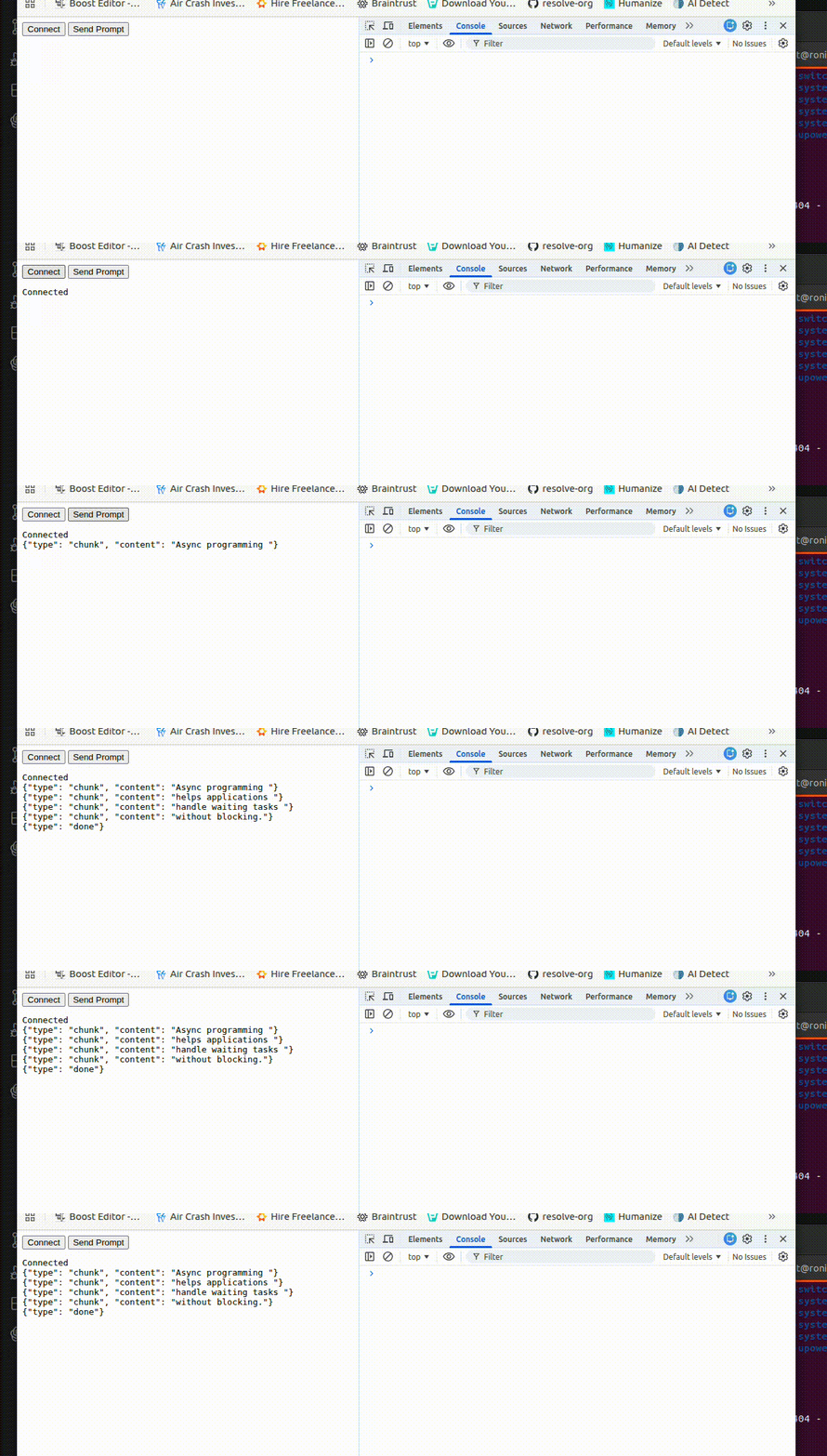
The async value here is easy to see. The server does not need to wait until the full AI response is ready before sending anything to the client. It can keep listening, receiving, and forwarding data as events happen. This makes the application feel much more interactive and is one of the clearest real-world examples of why async programming matters.
From a business perspective, this pattern is useful for AI chat assistants, customer support tools, internal knowledge bots, and workflow copilots. Users get faster visible feedback, and the application can manage real-time communication more effectively. For SMEs building AI-powered platforms, async plus WebSockets is often a practical foundation for delivering a modern chat experience.