Is It Time to Migrate to AWS? A Cost-Benefit Guide for SMEs and Scaleups

Is It Time to Migrate to AWS? A Cost-Benefit Guide for SMEs and Scaleups

Is It Time to Migrate to AWS? A Cost-Benefit Guide for SMEs and Scaleups

For many SMEs and scaleups, infrastructure decisions begin pragmatically. A VPS is enough to launch. A dedicated server handles early growth. A small on-prem setup feels controllable. A few serverless functions solve isolated use cases quickly.

Then the business changes.

Traffic becomes less predictable. Customers expect uptime. Security reviews become more serious. Product teams want faster releases. Finance wants clearer cost visibility. Suddenly, infrastructure is no longer just a technical foundation. It becomes an operating model question.

That is usually the point where AWS enters the conversation.

The real decision is not whether AWS is more modern than a VPS or more flexible than an in-house server room. The real question is whether your current setup still supports the speed, resilience, and operating efficiency your business now needs. For SMEs and scaleups, that makes migration a business case first and a technical project second.

Planning an AWS migration?

FAMRO helps SMEs and scaleups assess whether AWS can reduce infrastructure waste, improve capacity, strengthen resilience, and lower operational risk.

Book a Free AWS Cost & Capacity Review

This guide is for you if:

  • Your hosting costs are rising but performance is not improving.
  • Your application faces traffic spikes, slow response times, or 5xx errors.
  • Your backups, disaster recovery, or failover processes are manual or untested.
  • Your engineers spend too much time maintaining infrastructure instead of shipping features.
  • You are preparing for larger customers, security reviews, or compliance expectations.

Why Smaller Teams Often Outgrow Their Initial Infrastructure

Early-stage infrastructure is usually optimized for simplicity and low upfront cost. That is rational. The problem is that what works at launch often creates friction at scale.

A VPS can be cost-effective and easy to understand, but it often places too much operational responsibility on a small team. Backups, monitoring, patching, failover, scaling, and security hardening tend to become manual or only partially automated.

On-prem infrastructure creates a different burden. It offers control, but it also requires capacity planning, hardware lifecycle management, physical resilience considerations, network dependencies, and internal support effort. The costs are not limited to equipment. They include time, skills, redundancy planning, and the business risk of slow recovery during failures.

Dedicated servers can delay the move to cloud, but they often create the same scaling problem in another form. You may have more headroom than a VPS, but you still have to provision for peak demand, manage maintenance windows, and deal with limited elasticity.

Fragmented serverless environments create another pattern. Teams adopt functions, hosted databases, third-party queues, and SaaS tools in pieces. This may move fast initially, but over time it can lead to inconsistent tooling, hard-to-track spend, weak governance, and operational blind spots.

None of these environments are wrong. They simply stop being efficient when the business needs more speed, resilience, and consistency than the original design was built to provide.

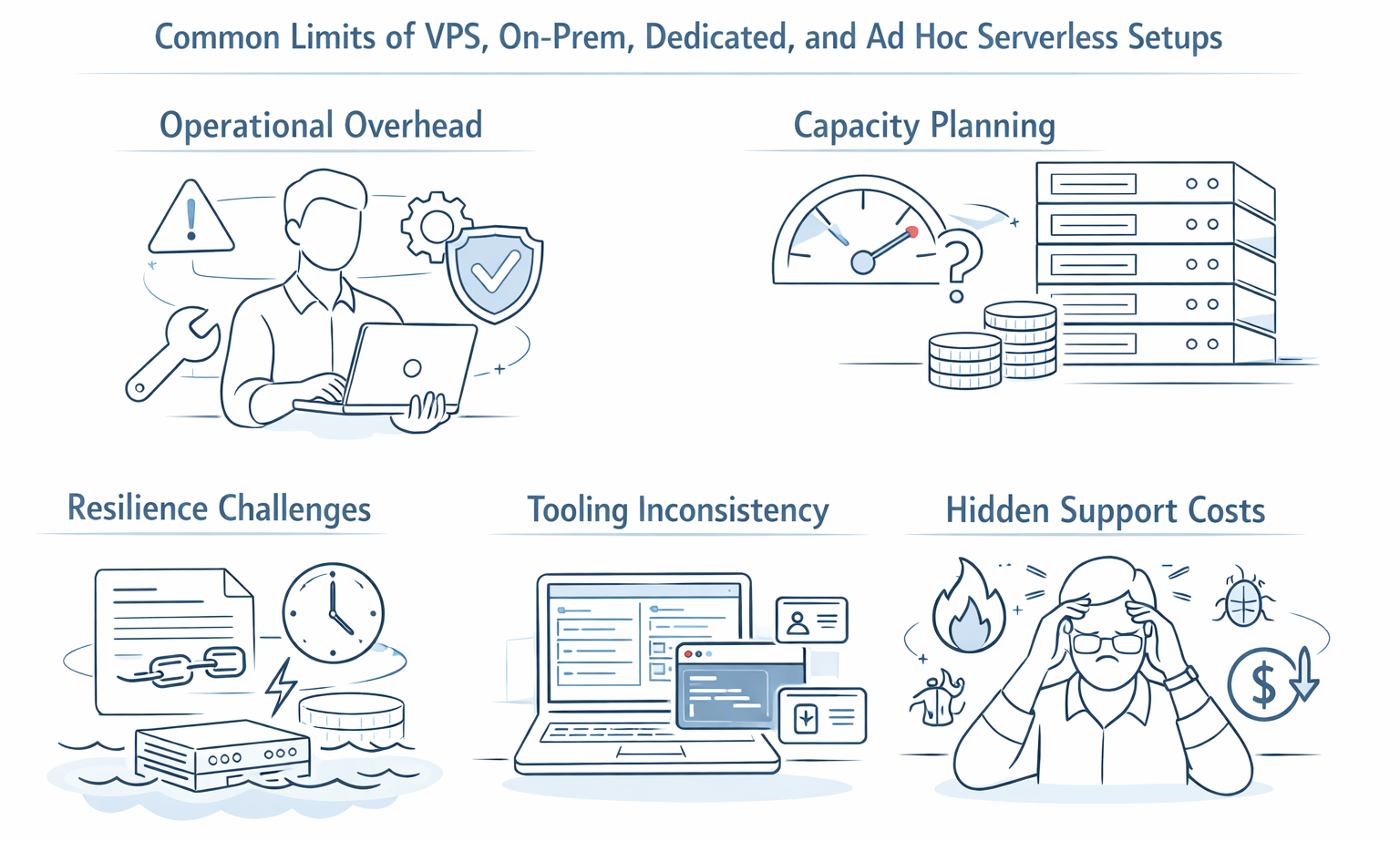
Common Limits of VPS, On-Prem, Dedicated, and Ad Hoc Serverless Setups

The first major constraint is operational overhead. Smaller teams usually do not have a separate platform engineering function. The same people building customer features are often also handling infrastructure alerts, patching, backup checks, certificate renewals, and scaling decisions. That is expensive in ways that do not always appear on an invoice.

Common Limits of VPS, On-Prem, Dedicated, and Ad Hoc Serverless Setups

The second constraint is capacity planning. Traditional infrastructure often forces teams to choose between overprovisioning and performance risk. Buy too much and you waste budget. Buy too little and you create service instability at exactly the wrong moment.

The third is resilience. Many SMEs assume they are covered because they have backups. In practice, backup quality and disaster recovery readiness are not the same thing. Recovery time, failover testing, multi-zone design, and dependency mapping are where many smaller environments fall short. AWS positions resilience as an architectural discipline through its Well-Architected Framework and services such as Elastic Disaster Recovery, which are designed to reduce downtime and data loss.

The fourth is tooling inconsistency. Different environments often accumulate different scripts, dashboards, access methods, and deployment habits. That increases key-person dependency and makes onboarding harder.

The fifth is hidden support cost. A cheap server can become an expensive operating model once you account for incident response, delayed releases, downtime impact, and the time senior engineers spend maintaining infrastructure instead of building products.

Why AWS Becomes Relevant at the SME and Scaleup Stage

AWS becomes more relevant when a company needs a more structured operating model. AWS Well-Architected is built around six pillars — operational excellence, security, reliability, performance efficiency, cost optimization, and sustainability — giving growing teams a practical framework for building more scalable and resilient environments.

Its value is not only that it offers cloud hosting. The stronger case is that it gives smaller teams access to managed services, faster provisioning, stronger security baselines, resilience options, and a more structured path to growth. AWS also provides guidance through the Well-Architected Framework, which is built around six pillars: operational excellence, security, reliability, performance efficiency, cost optimization, and sustainability.

That matters because most SMEs do not win by becoming experts in hardware procurement, failover engineering, or manual database maintenance. They win by shipping, learning, selling, and serving customers reliably.

With AWS, teams can provision infrastructure in hours rather than weeks, estimate costs with the AWS Pricing Calculator, and adopt services that reduce the amount of undifferentiated operational work they carry internally. AWS describes the Pricing Calculator as a way to model new workloads or changes to existing ones against a cost baseline, which is useful when building a migration business case.

Frequently Asked Questions About AWS Migration

  • When should an SME consider migrating to AWS?

    An SME should consider AWS migration when infrastructure costs, downtime risk, scaling limitations, manual maintenance, security gaps, or slow deployment cycles start affecting business growth.

  • Is AWS always cheaper than VPS or dedicated servers?

    No. AWS is not automatically cheaper. It becomes more cost-effective when workloads need elasticity, resilience, managed services, better security, or reduced operational overhead.

  • What is the safest way to start an AWS migration?

    The safest approach is a phased migration. Start with low-risk workloads, define success criteria, establish cost controls, and then move business-critical systems gradually.

  • Can AWS help reduce operational risk?

    Yes. AWS can improve resilience, monitoring, backup, disaster recovery, access control, and deployment consistency when designed with proper governance.

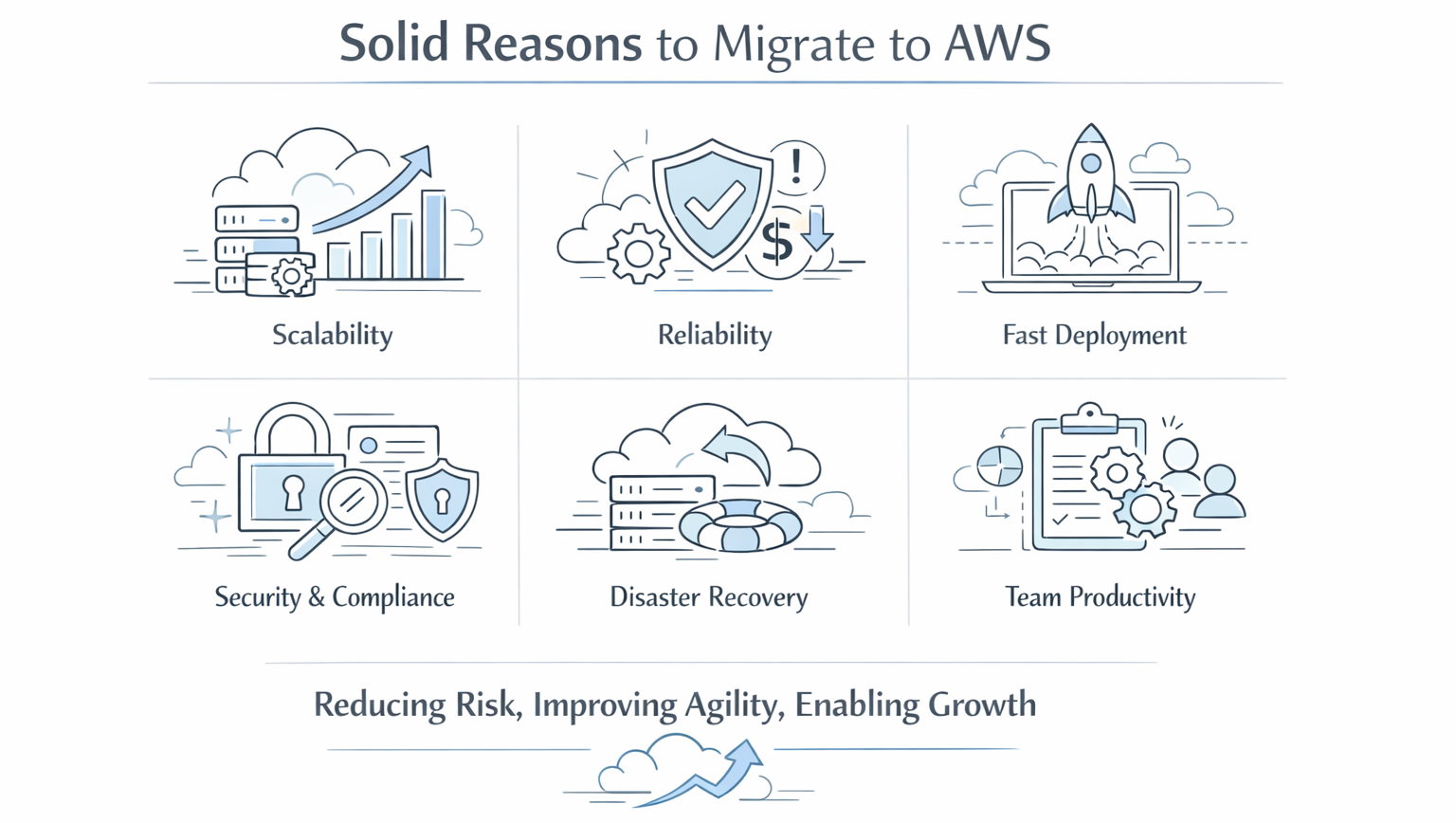
Solid Reasons to Migrate

A move to AWS is usually justified when one or more of the following are becoming business constraints rather than technical annoyances.

Scalability: Demand is becoming harder to predict, and fixed infrastructure forces the business to choose between waste and risk.

Reliability: Downtime now has visible commercial impact, whether through lost revenue, customer trust, or SLA pressure.
Common Solid Reasons to Migrate TO AWS

Speed of deployment: Teams need repeatable environments, faster release cycles, and less manual setup for testing and production.

Security and compliance readiness: Customers, partners, or auditors are asking tougher questions about access control, backups, logging, encryption, and resilience.

Security readiness also has a direct financial dimension. IBM’s 2025 Cost of a Data Breach Report found that the global average cost of a data breach was $4.4 million, while organizations making extensive use of AI in security saw $1.9 million in savings compared with those that did not. For growing businesses, stronger cloud security controls and better operational visibility can materially reduce risk exposure. Source: https://www.ibm.com/reports/data-breach

Disaster recovery: Recovery expectations are rising, but the current environment cannot meet them without major internal effort. The financial impact of outages is often underestimated. Uptime Institute reported in its 2025 outage analysis that more than half of respondents said their most recent significant outage cost more than $100,000, and one in five said it cost more than $1 million. For SMEs and scaleups, that makes resilience and recovery architecture a business issue, not only an infrastructure issue. Source: https://www.scribd.com/document/890018493/2025-Annual-Outage-Exec-Summary-UI

Team productivity: Engineers are spending too much time maintaining infrastructure instead of improving the product.

Expansion flexibility: New products, regions, customers, or integrations require infrastructure that can evolve without a full redesign.

These are not theoretical benefits. They translate directly into lower friction for growth.
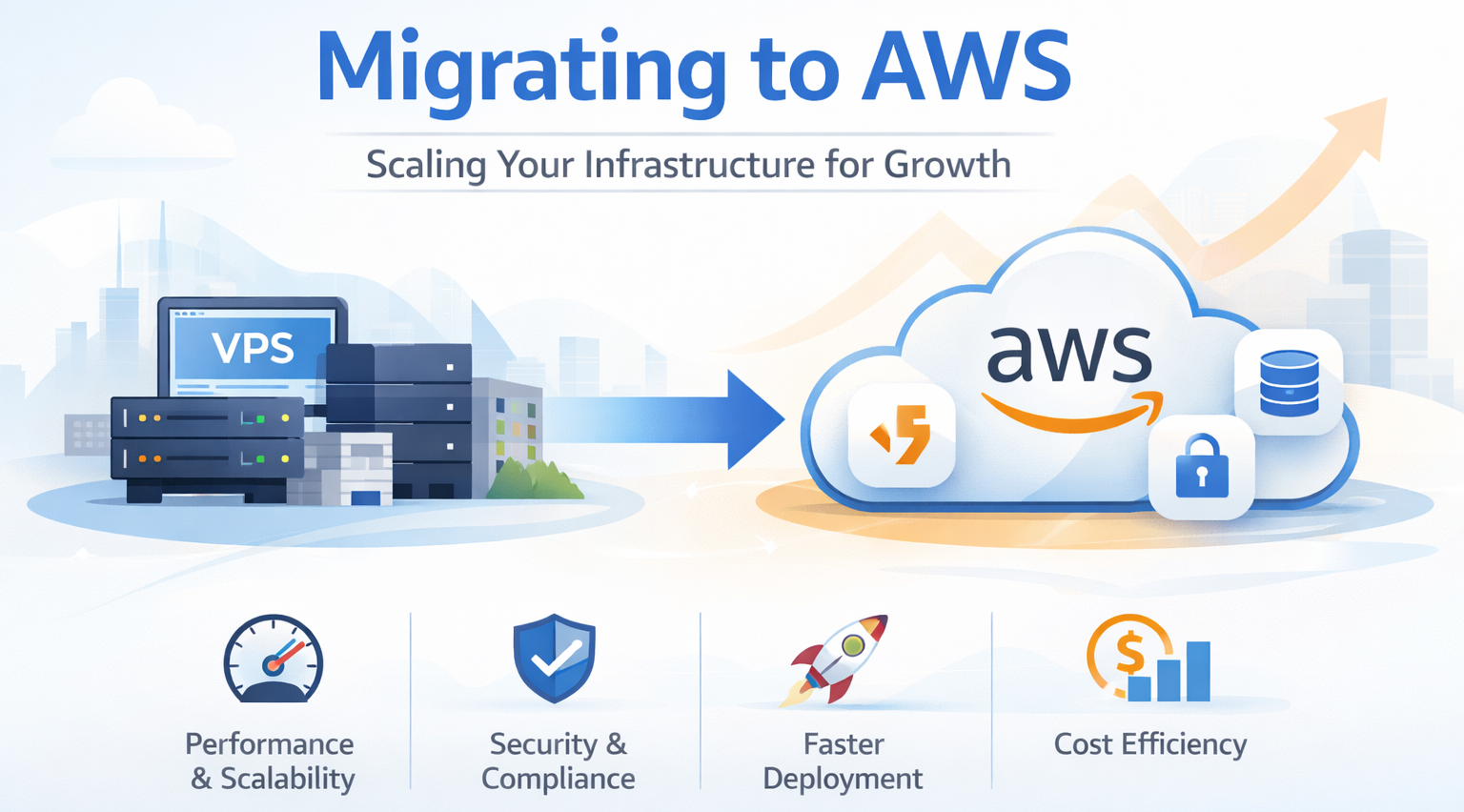
Practical Use Cases Where AWS Migration Delivers Clear Value

Migration tends to deliver the clearest value in situations like these:

- A business experiences periodic traffic spikes and needs infrastructure that can handle surges without keeping peak capacity running all month.

- An application has become critical enough that downtime risk is no longer acceptable, but building proper resilience in the current setup would be operationally heavy.

- A team needs stronger backup and recovery capabilities, especially where current recovery processes are slow, manual, or untested.

- A legacy application needs modernization, but a full rewrite is not realistic. AWS can provide a phased path: first move the workload, then improve components over time.

- A remote or distributed engineering team needs consistent development, staging, and production environments.

- The business is preparing for larger customers, vendor assessments, or compliance requirements that expose gaps in the current infrastructure model.

- The company wants to support more than one environment, product line, or market without repeatedly rebuilding infrastructure from scratch.

Comparing the Starting Points

Not every migration case looks the same, because the baseline matters.

If you are running on a VPS, the migration driver is often operational maturity. The gains usually come from better resilience, cleaner scaling, and less manual maintenance.

If you are running on-prem, the case is often about agility, disaster recovery, and reducing fixed infrastructure commitments. Migration complexity may be higher, but so is the long-term operating benefit.

If you are on dedicated servers, the issue is often inflexibility. You may already have strong performance, but limited elasticity and manual failover keep growth expensive.

If you are using ad hoc serverless tools, the case is typically about consolidation, governance, and cost discipline. The goal is not just to move, but to standardize.

That is why AWS decisions should always be compared against the current operating model, not against a generic idea of “the cloud.”

Cost-Benefit Analysis: What Changes Financially After Moving to AWS

The smartest cloud conversations are balanced ones.

Moving to AWS usually shifts cost from fixed infrastructure and manual operations toward usage-based services, managed platforms, and architecture decisions. That shift can be positive, but only if the environment is designed with discipline.

The direct cost categories are easy to see: compute, storage, bandwidth, managed databases, monitoring, backup, migration tooling, and implementation effort.

The indirect costs are where the business case often becomes stronger: less downtime, fewer emergency interventions, faster release cycles, lower overprovisioning, better use of engineering time, and less dependence on heroic manual support.

The hidden savings are often the most important for SMEs. When your best engineers stop spending late nights on patching, failed deployments, or capacity firefighting, that recovered time has real commercial value.

At the same time, AWS is not automatically cheaper. Poor service selection, lack of tagging and governance, idle resources, oversized instances, and unmanaged sprawl can make cloud spend disappointingly high. AWS itself emphasizes cost estimation and planning tools for this reason.

When AWS Is More Cost-Effective — and When It May Not Be

AWS is often more cost-effective when demand is variable, uptime matters, the team is lean, or the business needs to move faster than traditional infrastructure allows.

It is especially compelling when the alternative is carrying hidden internal cost in the form of maintenance effort, release delays, poor resilience, or overbuilt capacity.

It may be less favorable when workloads are static, predictable, lightly changing, and already well-supported at very low cost in an existing environment. It may also underperform financially if the migration is rushed, architecture is not right-sized, or governance is weak from day one.

So the right question is not, “Is AWS cheaper?” It is, “Is AWS a better financial and operational model for the stage of business we are in now?”

How to Build a Simple Migration Business Case

For most SMEs, the business case does not need to be complicated. It just needs to be honest.

Start with current-state costs: hosting, hardware, licensing, backup tools, support contracts, and internal engineering time spent on infrastructure maintenance.

Then document the pain points: downtime exposure, slow provisioning, inconsistent environments, security gaps, delayed releases, or scaling risk.

Define the desired outcomes: lower operational burden, faster deployments, stronger resilience, improved security posture, easier recovery, or readiness for growth.

Estimate migration scope: which workloads move first, what dependencies exist, what skills are needed, and what the likely timeline to value looks like.

Model target-state cost using realistic AWS assumptions rather than optimistic ones. The AWS Pricing Calculator can help with scenario-based estimates and comparison against an existing baseline.

Finally, include risk reduction in the business case. For growing companies, reduced downtime risk and better operational consistency are often worth more than raw hosting savings alone.

How to Start Small Without Disrupting the Business

The best migrations are rarely dramatic.

A phased migration usually makes more sense than a full rebuild. Start with low-risk, high-learning workloads such as backups, development environments, internal tools, reporting systems, or a non-critical application.

Then move one business-relevant workload with clear success criteria. Use that phase to establish guardrails around identity, networking, monitoring, cost visibility, and deployment patterns.

This approach reduces business disruption and helps the organization learn what good cloud operations should look like before broader adoption.

How FAMRO helps

FAMRO supports SMEs and scaleups with cloud infrastructure design, AWS migration, DevOps automation, CI/CD, observability, cost optimization, and technical consulting. We help teams move from fragile infrastructure to scalable, reliable, and cost-aware cloud platforms.

Conclusion

For SMEs and scaleups, AWS migration becomes compelling when infrastructure is no longer just a hosting decision. It becomes a growth decision.

The strongest case for moving is not that cloud is fashionable or that every workload belongs on AWS. It is that a well-planned AWS environment can help a smaller team operate more reliably, deploy faster, strengthen security, improve recovery readiness, and support growth without constantly redesigning infrastructure around each new business demand.

That is where the economics become more meaningful. You are not only comparing server cost to server cost. You are comparing one operating model against another.

At our company, we help organizations evaluate that decision properly. We work with SMEs and scaleups to assess current environments, identify where AWS will create measurable value, design right-sized architectures, and execute phased migrations that reduce risk instead of adding to it. Whether you are moving from VPS, on-prem, dedicated servers, or a fragmented cloud setup, we focus on building an AWS foundation that is commercially sensible, technically reliable, and ready for growth.

In partnership with FAMRO-LLC, we can also help qualified organizations get access to testing credentials, giving your team the opportunity to explore and validate AWS in a practical way before making a full commitment. That means you can evaluate services, understand fit, and build confidence with less risk at the decision stage.

To help organizations get started, we offer a free initial consultation focused on your AWS migration business case—no obligation, no generic pitch. If your organization is investing in growth and wants confidence, resilience, and cost clarity instead of infrastructure guesswork, now is the time to act.

🌐 Learn more: Visit Our Homepage

💬 WhatsApp: +971-505-208-240

Our solutions for your business growth

Our services enable clients to grow their business by providing customized technical solutions that improve infrastructure, streamline software development, and enhance project management.

Our technical consultancy and project management services ensure successful project outcomes by reviewing project requirements, gathering business requirements, designing solutions, and managing project plans with resource augmentation for business analyst and project management roles.

Read More
2
Infrastructure / DevOps
3
Project Management
4
Technical Consulting