How to Create Multi-Container Docker Setup
Modern applications rarely consist of a single production server. What you ship to production is a small system: a few stateless compute nodes, a managed database, a queue for async work, and object storage for blobs and artifacts.
Creating a production-like environment on a local machine is not trivial. In most teams, it usually goes one of two ways.
Option 1: Developers build a monolithic application that mimics production functionality. While it may replicate some business logic, it doesn’t truly reflect the distributed nature of the real production environment. As a result, everything appears to work perfectly on the developer’s machine—until deployment. That’s when issues surface: configuration mismatches, networking problems, concurrency bugs, queue behavior differences, and other distributed system challenges that were never exposed locally.
Option 2: The organization provisions a separate cloud environment for each developer group or team. While this approach is closer to production, it quickly becomes impractical from both a management and cost perspective. Maintaining multiple environments increases operational overhead, complicates governance, and significantly raises cloud expenses.
Neither approach is ideal. What we really need is a way to simulate production architecture locally—without sacrificing realism or driving up infrastructure costs.
Typically, “local dev” just means turning a distributed system into one big app: one process, one database, no queues, no Cloud-Blob-style storage, and no multiple nodes running at once. It feels fine while you’re coding… right up until you deploy. Then Cloud introduces all the stuff your local setup never showed you, like:
- eventual consistency and timing edge-cases
- auth/permissions behavior (IAM-like failures, missing policies, wrong creds)
- queue semantics (visibility timeouts, redeliveries, ordering assumptions)
- retry storms and idempotency bugs
- race conditions that only appear when 3 instances are running concurrently
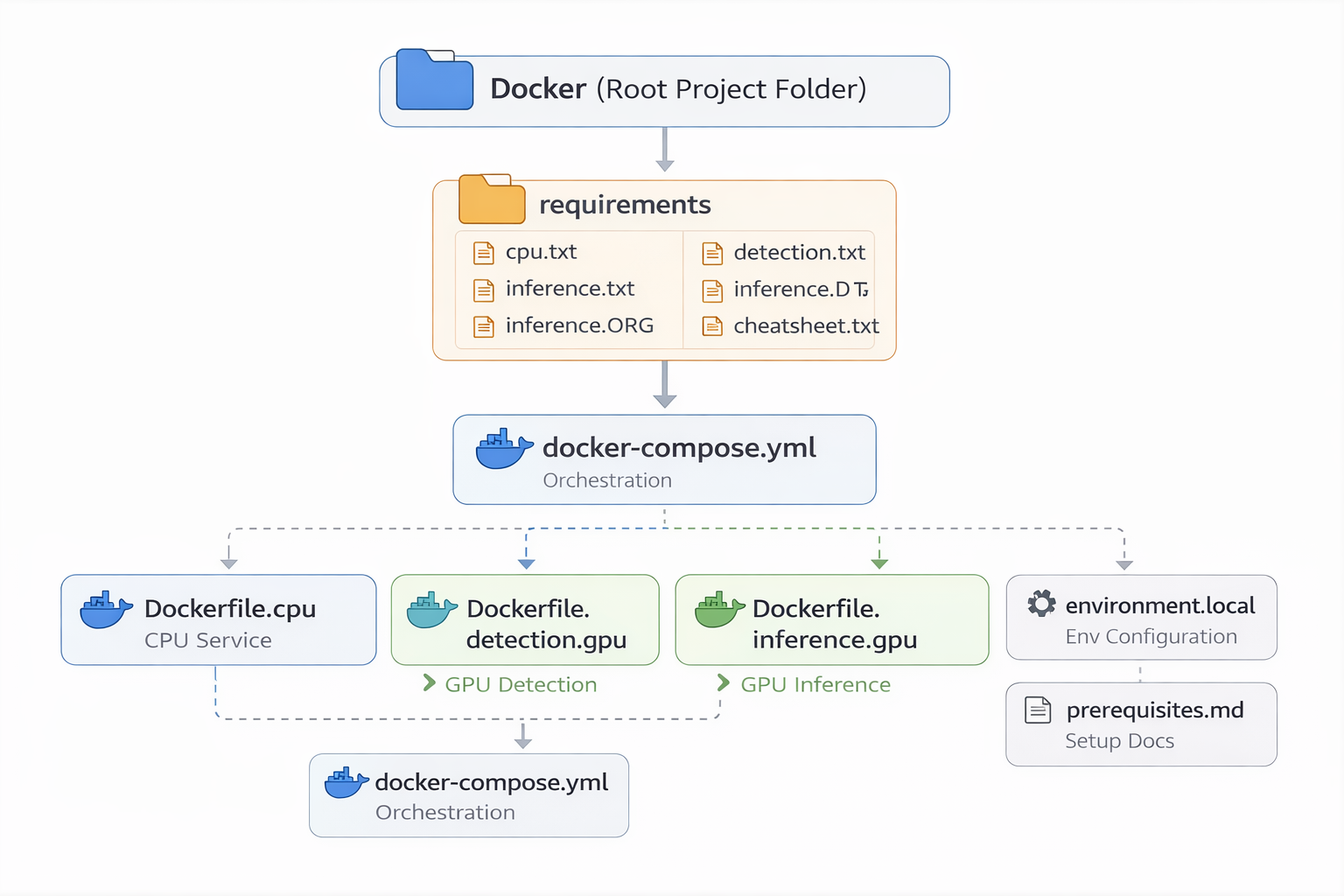
In this blog post, we’ll build a multi-container Docker environment that depicts a production-style architecture. The setup will include:
- A dedicated frontend container
- A GPU-powered detection and inference service (CUDA-enabled)
- A PostgreSQL database container
- A file storage container
- A Redis container for queuing and background jobs
Each service runs in its own isolated container, communicating over a shared Docker network—just like independently deployed services in production.